Smart Prefill for NSW
Curia reads the special conditions, organises them against your firm's categories and prefills your review with a citation on every entry. You add, edit or reorder anything that doesn't fit.
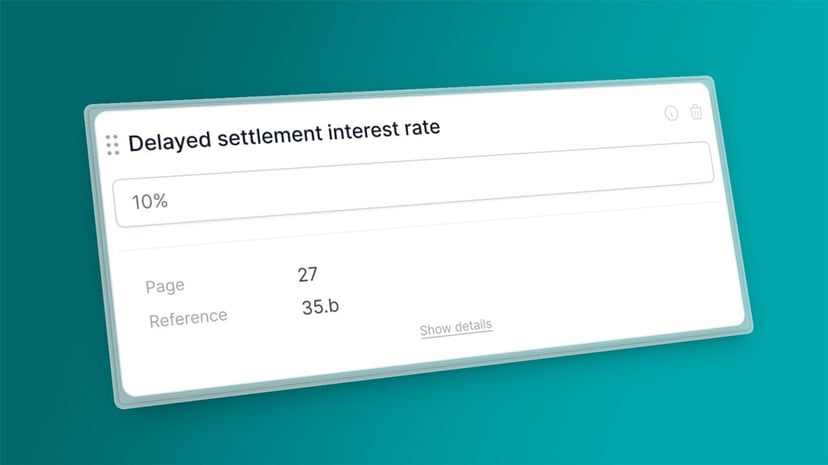
In NSW, the same special conditions come up again and again, and your firm already has a considered response to each. Smart Prefill in Curia Contract Review matches the contract's special conditions against your firm's clause library and brings your own wording straight into the report, with a citation on every entry. Curia does the matching. You keep the call on every clause.
The problem with manual prefill
A NSW contract carries a dozen or more special conditions, and you've seen most of them before. The slow part isn't reading them, it's recognising each one, pulling up the response your firm has settled on and retyping it into the report, file after file. The clause is familiar. The retyping is the tax.
How Smart Prefill works
Matched against your firm's Library
Curia reads the special conditions and matches each against your firm's Library , the clauses you've told it to watch for. Where it recognises one, your entry comes through into the review under your category, and you can add your own categories to match how your firm works. Because each library clause carries its category, the matching rule, amendment and recommendation come with it, ready to confirm, edit or ignore.
Your wording, straight into the report
On a match, the explanation your firm wrote for that clause goes into the client report in your firm's voice. Matched conditions appear in the report ready for the client. You add, edit or remove any of them before it goes out.
A citation on every entry
Each entry carries a one-click citation to the page and clause it came from, so when something looks unusual you verify it without leaving the review. For the genuinely nuanced calls, an unfamiliar condition with material consequences, Ria steps in with her read of it, her reasoning and a citation to the source.
Real results
Brenda Gately at Gately Conveyancing reviews contracts with heavy special-condition loads. With Smart Prefill in her workflow, she cut her average review time from 60 minutes to 30. Curia automated the matching. Brenda kept the call on every entry.
See Curia in action
See Curia handle a real NSW contract . Book a demo . Or read about Ria Findings , the function that surfaces the nuanced calls with the reasoning behind them.